In embedded development, platform selection is often one of the earliest and most critical technical decisions. Whether it’s a smart terminal with a touchscreen or industrial equipment requiring network connectivity, development teams face a classic question: Android or Linux?While both are based on the Linux kernel, their differences in actual product development go far beyond the surface. The choice depends not only on functional requirements but also on the team’s background, supply chain conditions, and tolerance for system complexity.
| Category | Android | Linux |
| Kernel Base | Based on Linux Kernel | Native Linux Kernel |
| UI Development | Complete touch UI framework built-in (Java/Kotlin, Compose, Skia) | Requires Qt, GTK, Framebuffer, or custom UI |
| Development Speed | Faster for GUI products | Faster for low-level control systems |
| Hardware BSP Support | Strong support from Qualcomm, MediaTek, Rockchip | Depends on upstream kernel/vendor support |
| Driver Availability | Camera, GPU, Codec, Bluetooth usually ready earlier | Sometimes delayed or requires custom integration |
| Boot Time | Typically 10–30 seconds | Can boot under 1 second |
| RAM Requirement | Practical minimum around 1GB RAM | Can run on 64MB RAM |
| Storage Requirement | Usually 8GB+ storage | Can work within 256MB flash |
| Real-Time Capability | Weak for hard real-time tasks | Supports PREEMPT_RT |
| System Control | Abstracted through HAL/ART layers | Full low-level control |
| Security Model | Built-in sandbox & permission system | Fully customizable security architecture |
| OTA Update | Mature A/B OTA system included | Must build custom OTA mechanism |
| Application Ecosystem | Huge Android app ecosystem | Limited unless custom-built |
| Developer Availability | Large Android developer pool | Embedded Linux engineers harder to find |
| Build System | AOSP builds are heavy and slow | Yocto/Buildroot faster and lighter |
| Licensing | Complex mixed licenses | Easier compliance auditing |
| Headless Devices | Overkill for no-display devices | Ideal for headless systems |
| Power Consumption | Higher due to larger stack | Lower footprint |
| Cost Sensitivity | Requires higher-spec hardware | Suitable for low-cost hardware |
| Best For | Smart displays, tablets, kiosks | Industrial control, robotics, medical |
Android Advantages
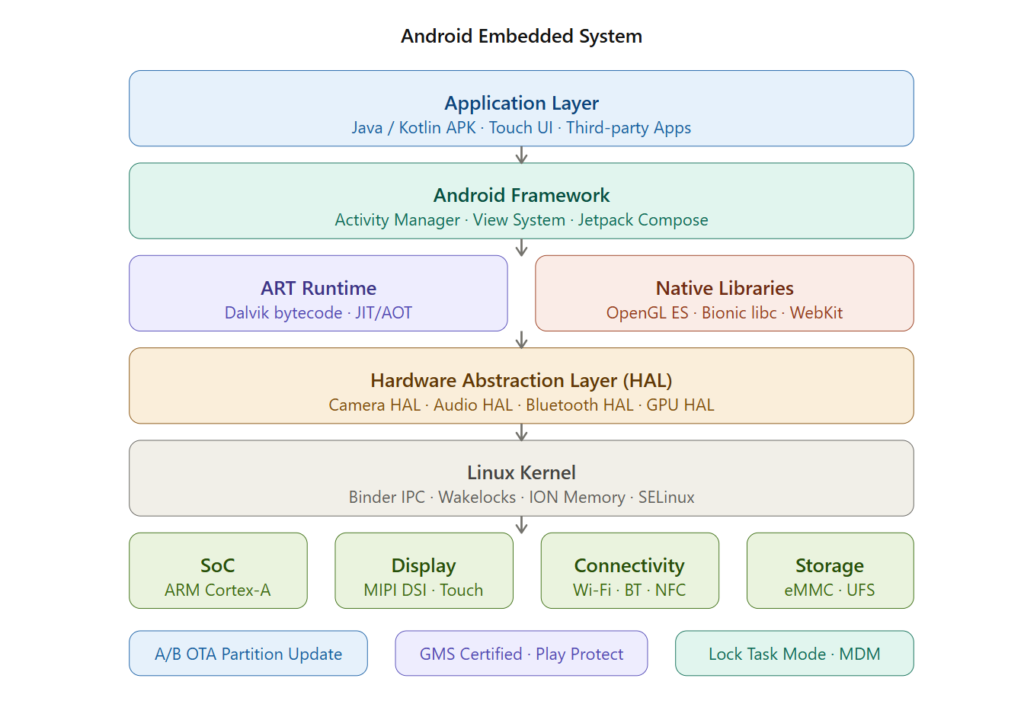
- The UI stack is the biggest one. Building a touch-enabled GUI on bare Linux is not a small project. You’re looking at choices between Qt, GTK, or rolling something with a framebuffer directly. Each has real costs: Qt licensing (if you’re not on LGPLv3-compatible terms), GTK’s historically awkward embedded story, or the maintenance burden of something custom. Android gives you a complete, hardware-accelerated UI framework out of the box. The View system, Jetpack Compose, hardware-accelerated rendering via Skia — it’s a solved problem. Your team writes Java or Kotlin, and the display just works.
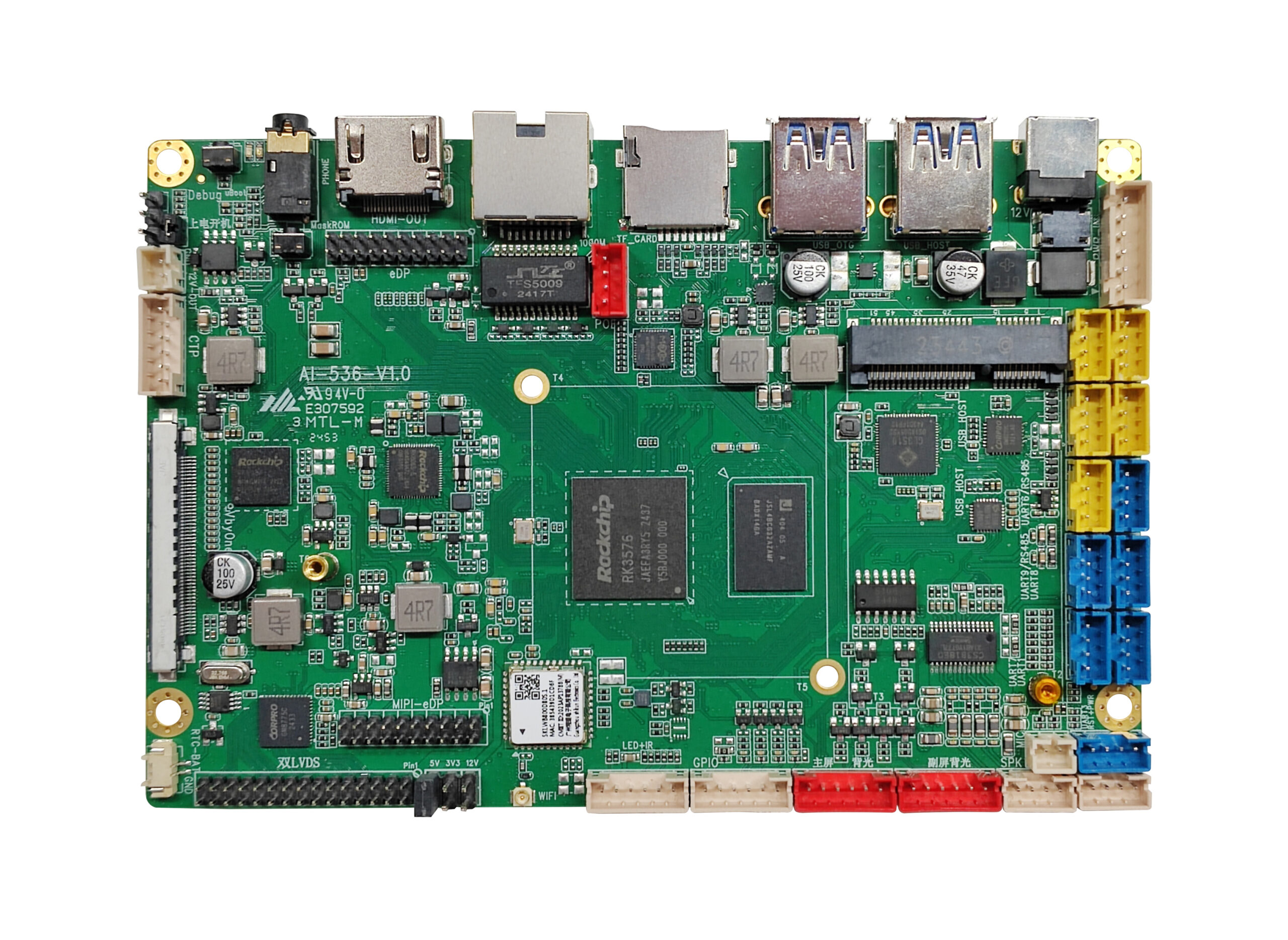
- Hardware support is legitimately better for consumer-grade SoCs. Qualcomm, MediaTek, and Rockchip all have mature Android BSPs. If you’re building on an RK3566 or an MT8183, the Android BSP will have working camera HAL, GPU drivers, codec acceleration, and Bluetooth stack well before the upstream Linux kernel has full support. This matters a lot when your product roadmap doesn’t include 18 months of driver upstreaming.
- Application ecosystem and developer availability. If your device needs to run third-party applications, Android is the clear choice. You get a defined APK distribution model, a massive pool of developers who know the platform, and a security model (sandboxed apps, permissions framework) that’s already been designed for untrusted code. Finding a senior Android developer is orders of magnitude easier than finding someone who knows Yocto well.
- Connectivity and peripheral stacks are mature. Android’s Bluetooth stack (Fluoride), Wi-Fi supplicant integration, and USB subsystem are all well-exercised. These things have been stress-tested on hundreds of millions of devices. On bare Linux, you’ll be integrating BlueZ yourself, debugging wpa_supplicant configurations, and sorting out USB gadget mode configurations manually. Not insurmountable, but it’s real work.
- OTA updates. Android’s A/B partition update mechanism is production-grade. If you need reliable over-the-air updates with rollback support, Android gives you this without a significant engineering investment. Replicating this on Linux — a dual-bank rootfs scheme with verified boot — is doable but requires you to build and maintain it.
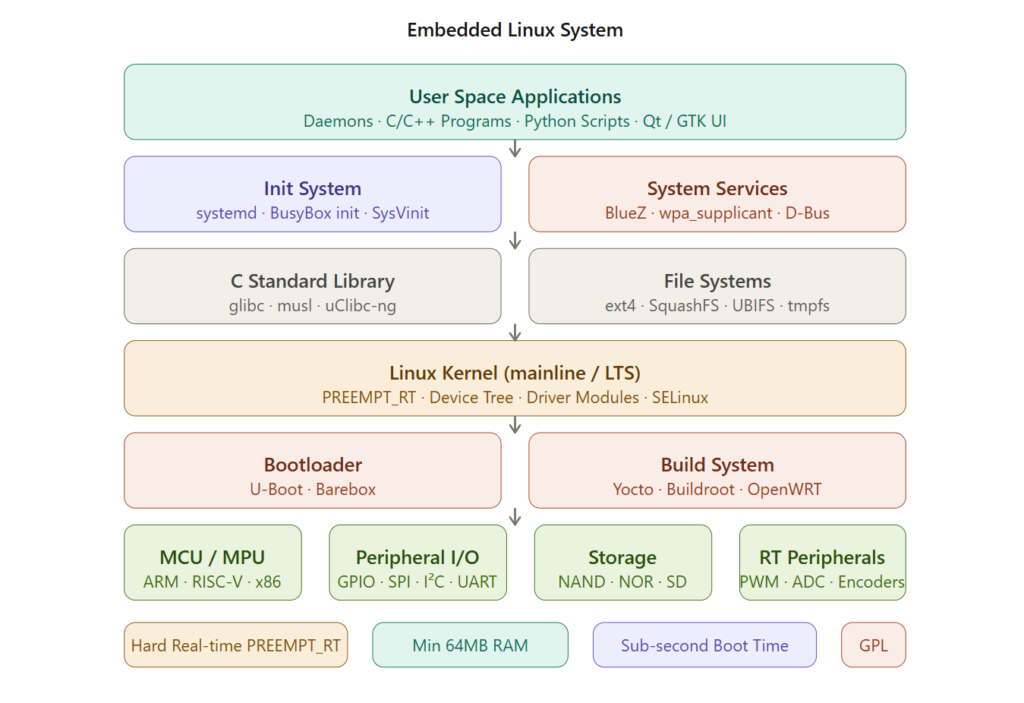
Linux Advantages
- Boot time. This is frequently the deciding factor for industrial and automotive applications. A minimal Linux system can be up and running a real-time control loop in under a second. Android’s init system, Zygote, SurfaceFlinger — the full stack takes 10–30 seconds minimum, often longer on mid-range hardware. If your device powers on in response to an event and needs to be operational immediately, Android is a
- Resource footprint. A production-grade embedded Linux image can run comfortably in 64MB of RAM with a 256MB flash footprint. Android’s minimum practical RAM is around 1GB with 8GB storage. This isn’t just a cost issue — it determines which hardware you can use, which affects thermal budget, power consumption, and unit price at volume. For high-volume consumer devices or cost-sensitive industrial hardware, that delta matters enormously.
- Real-time capability. Standard Android kernels do not support PREEMPT_RT. If you need deterministic interrupt latency — motor control, industrial I/O, anything with hard timing requirements — you’re either on Linux with PREEMPT_RT, or you’re offloading to a separate MCU. Some teams run both: an Android application processor for UI and connectivity, with an STM32 or similar handling the real-time loop. That works, but it’s extra hardware, extra firmware, extra communication protocol between them.
- System transparency and control. On bare Linux, you own the entire stack from bootloader to application. There’s no ART runtime between you and the kernel, no HAL layer to debug through, no proprietary vendor blob you can’t modify. When something goes wrong, you can actually read all the code involved. This matters in regulated industries (medical, defense, nuclear) where you need to audit or certify the software stack. Android certification paths exist but they’re more complex.
- Deterministic licensing. GPL compliance on Android is… a project. You have the kernel (GPL), upstream AOSP (Apache 2.0), and then a layer of vendor blobs that are proprietary. Sorting out what you need to distribute, what you can’t, and what your OEM has locked down is genuinely complex. A Yocto-based Linux image with a known recipe set is far easier to audit for license compliance.
- Cross-compilation and build tooling. Yocto, Buildroot, and OpenEmbedded are well-understood in industrial embedded development. Build times are much more manageable than AOSP. A full AOSP build on a fast workstation takes 1–3 hours; Buildroot can produce a complete image in minutes. If you’re iterating on firmware during development, this difference adds up quickly.
- Footprint in headless or near-headless applications. If your device has no display, or has a minimal character LCD, Android brings essentially nothing to the table. You’d be carrying gigabytes of graphics stack overhead for a product that communicates over MQTT and drives a relay. Linux with a purpose-built daemon is the obvious choice.
Use Cases
Android makes sense when:Your product is consumer-facing with a touchscreen. Tablets, in-vehicle infotainment (if you’re not in a hard-RT path), digital signage with rich media, handheld industrial devices where technicians will be running Android apps. Anywhere the user experience is central and development velocity matters more than deep system control.
You’re building on a platform with strong Android BSP support and your hardware vendor’s Linux support is weak or trailing. In practice, for many SoCs in the $5–$15 range, the Android BSP is simply better maintained than the upstream Linux driver set.
Your device needs to run apps from a managed ecosystem, whether that’s Google Play or a private enterprise MDM setup. The app sandboxing model, permission system, and update infrastructure are all designed for this.
Bare Linux makes sense when:Industrial control, medical devices, robotics, anything with real-time requirements. Anything where the device is headless or has a minimal display. Any application where you need sub-second boot time. Cost-sensitive designs where BOM reduction requires lower-spec hardware. Anything requiring deep system customization or long-term software auditing.
You’re already on a platform where Linux support is mature and Android BSP either doesn’t exist or isn’t well supported.
Kiosk and POS: A Closer Look
This is a common deployment scenario and worth examining in detail, because the decision isn’t as obvious as it seems.
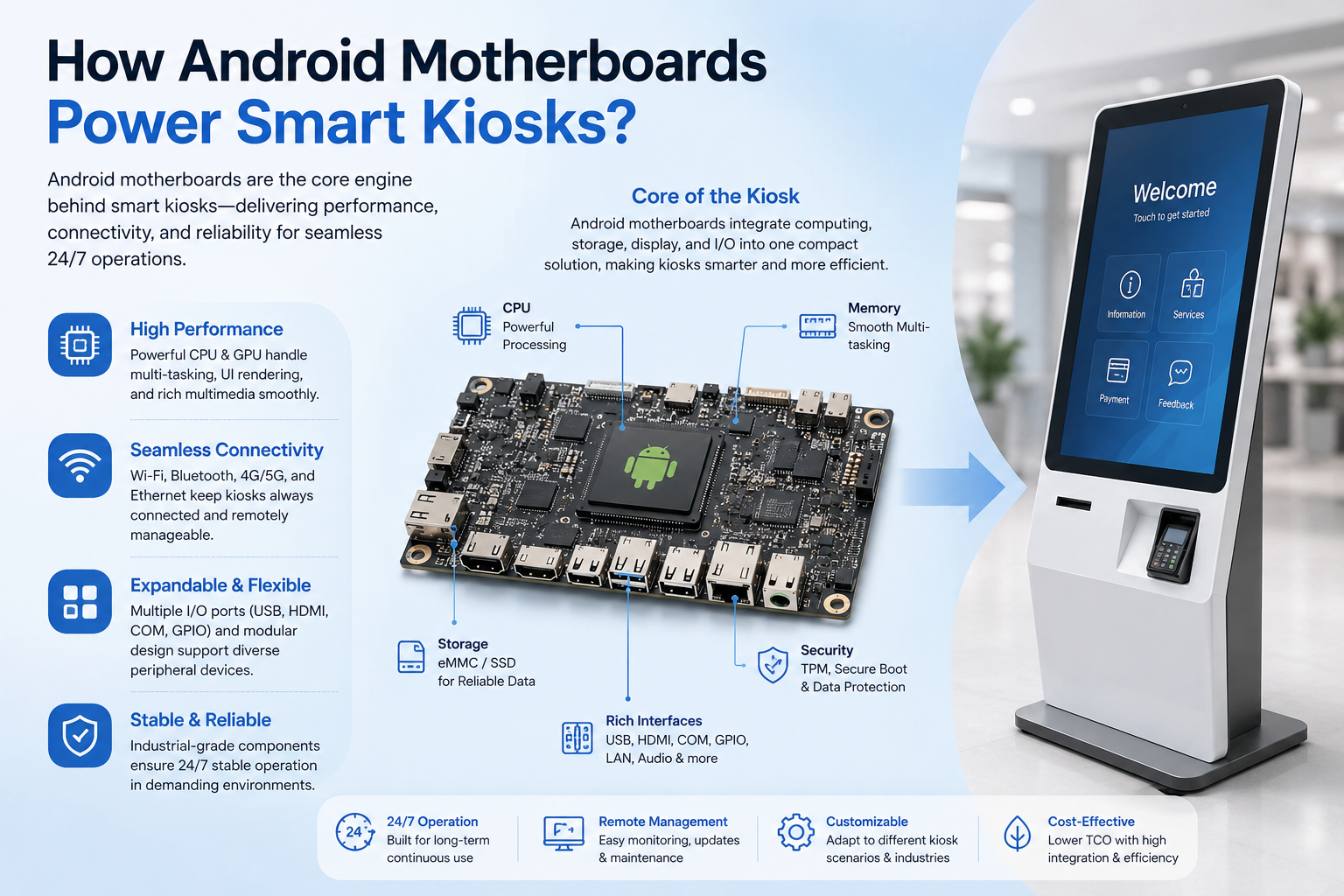
The Android kiosk case is compelling on paper. Google provides a Kiosk Mode (Lock Task Mode) API. There’s a well-defined enterprise device management story via Android Enterprise, with MDM solutions from VMware Workspace ONE, Microsoft Intune, and others supporting Android Management API. If your POS or kiosk needs to run a payment application, camera access, NFC, barcode scanning — these all have defined Android APIs, often better supported than on Linux.
But Android kiosks have real operational problems. Lock Task Mode works until it doesn’t — a rogue system dialog, a Google Play update that restarts a service, a GMS notification that slips through. Maintaining a reliable single-app experience on Android in a retail environment requires constant attention. Vendors like SureLock or Hexnode exist specifically because Android’s kiosk mode isn’t fully reliable out of the box. Contrast this with a Linux kiosk running a single Chromium instance in –kiosk mode launched by a systemd service with RestartAlways — the system either works or restarts itself. The failure modes are more predictable.
GMS certification is a real constraint. If your kiosk needs Google Play to install payment apps, you need GMS certification, which means passing the CTS (Compatibility Test Suite). This is a non-trivial process for a custom hardware platform and adds significant time and cost. If you’re using a third-party Android SBC from a vendor who handles certification, you’re dependent on their timeline and their relationship with Google.
PCI DSS implications. Point of sale systems have specific compliance requirements. Android can be PCI compliant, but the attack surface is larger — more services running, more processes, a larger kernel configuration. A minimal Linux system with a hardened kernel configuration and SELinux policy is easier to scope for a PCI audit. Some payment processors explicitly prefer or require Linux-based terminals.
The practical recommendation for kiosk/POS: If you’re building a kiosk that needs rich media, app ecosystem integration, or modern camera/NFC features, Android with a proper MDM and a vendor-supported board is defensible. If you’re building a POS terminal, a queue management kiosk, or any device where reliability and long-term maintenance matter more than features, Linux with a purpose-built application stack will cause you less grief over a 7-10 year deployment lifecycle. Retail hardware doesn’t get replaced often.
Making the Call
There’s no universal right answer, but there is a decision framework that holds up across most projects.
Start with your real-time and resource requirements. If either eliminates Android, the decision is made. Then look at your display and UI requirements — if you need a rich touch GUI, bear in mind the actual engineering cost of building that on Linux before dismissing Android on principle. Then consider your hardware platform — if the SoC vendor has strong Android BSP support and weak Linux support, that weight matters in your timeline. Finally, consider your team — a team that knows Android deeply will build a better Android product than a fragile Linux one, and vice versa.
The projects that go wrong are usually the ones where the platform decision was made for the wrong reasons: someone picked Android because they’re familiar with smartphones, or someone picked Linux because they’re ideologically opposed to Android. Both platforms are capable. The mismatch between platform characteristics and product requirements is where the real pain lives.